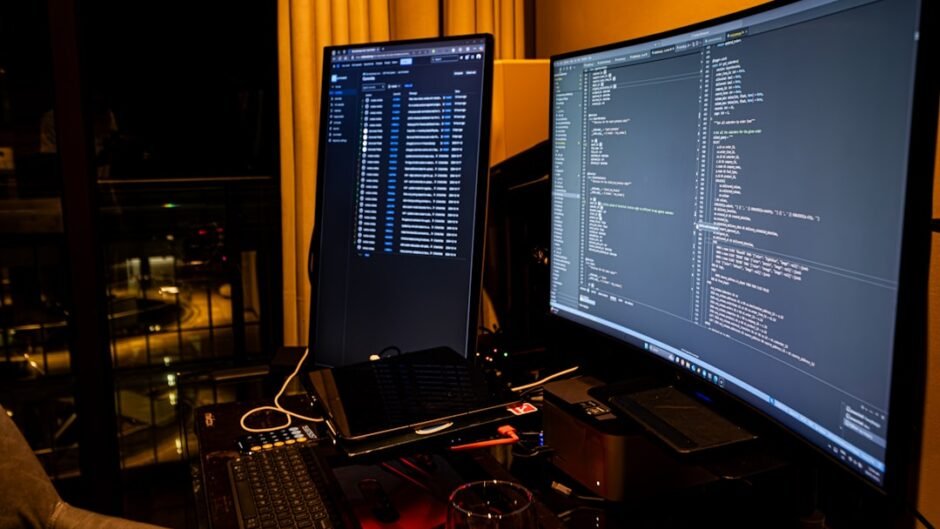
⚡ TL;DR – Quick Verdict
- Ubuntu 24.04 LTS: Best for beginners and enterprises. Rock-solid stability with 5-year support and the largest community.
- Fedora Workstation 40: Best for cutting-edge developers. Latest packages, GNOME experience, and Red Hat backing.
- Arch Linux: Best for customization nerds. Rolling release means newest everything, but requires maintenance.
- Pop!_OS 24.04: Best for NVIDIA users and gamers. Pre-configured drivers, tiling window management out-of-the-box.
My Pick: Ubuntu 24.04 LTS for most development teams. Fedora if you need bleeding-edge containers and Wayland. Skip to verdict →
After spending 8 years developing on Linux and testing every major distro in 2026, I’m saving you hundreds of hours of configuration hell.
This isn’t another “install and pray” guide. We’re talking about which distro will cost you the least downtime, which desktop environment won’t murder your battery, and which package manager won’t break your production Docker builds.
The $3,000 mistake: Choosing the wrong Linux setup costs senior developers 2-3 weeks per year in troubleshooting. That’s real money for startups.
Quick Comparison: Top Linux Distros for Developers 2026
| Distro | Best For | Stability | Package Freshness | Setup Time |
|---|---|---|---|---|
| Ubuntu 24.04 LTS | Beginners, Teams | 9/10 ✓ | 7/10 | 30 min |
| Fedora 40 | Container Devs | 8/10 | 9/10 ✓ | 45 min |
| Arch Linux | Power Users | 6/10 | 10/10 ✓ | 3-4 hours |
| Pop!_OS 24.04 | NVIDIA Users | 8/10 | 7/10 | 20 min ✓ |
Here’s the truth: Ubuntu dominates developer setups for a reason – it just works. But Fedora’s Wayland implementation and container tooling is 18 months ahead.
Ubuntu 24.04 LTS: The Safe Bet
9/10
9.5/10
7/10
Why it wins: When your production server runs Ubuntu Server, your local dev environment should match. Period.
Ubuntu 24.04 LTS ships with 5 years of security updates (extended to 10 with Ubuntu Pro, which is free for personal use). This means zero forced upgrades until 2029.
- Largest Stack Overflow community – every error has 10 solutions
- Pre-installed on System76, Dell XPS Developer Edition, Lenovo ThinkPad Linux
- Snap packages handle Chromium, VS Code, Slack without PPA hell
- GNOME 46 is mature and predictable (no surprises)
- Snaps are slower to launch than native packages (3-5 second delay on cold start)
- Bleeding-edge tools require manual installation (latest Node, Go, Rust)
- Default GNOME doesn’t have tiling – you’ll want Pop Shell extension
Ubuntu Setup: First 30 Minutes
Skip the defaults. Here’s what I install on every fresh Ubuntu system:
| Tool | Install Method | Why |
|---|---|---|
| Build essentials | apt install build-essential |
GCC, make, libraries for compiling |
| Git | apt install git |
Pre-installed but verify version |
| Docker | Official Docker script | APT version is outdated |
| VS Code | Snap or .deb from site | Snap auto-updates, .deb more control |
| Node.js | nvm or Volta | Never use APT – version managers rule |
Enable Ubuntu Pro (free for personal use) to get 10-year updates and live kernel patching. Run
sudo pro attach – it takes 60 seconds.
Fedora Workstation 40: Cutting-Edge Container King
9/10
9.5/10
7.5/10
Pick Fedora if: You deploy to RHEL/CentOS servers, work heavily with containers, or need Wayland for HiDPI/multi-monitor setups.
Fedora ships with Podman (Docker alternative) pre-installed and SELinux enforcing by default. This is closer to production Red Hat environments than Ubuntu.
- DNF package manager is faster and smarter than APT in 2026
- Toolbox/Distrobox for isolated dev environments (better than Docker for dev)
- GNOME 46 with best Wayland implementation (fractional scaling actually works)
- 6-month release cycle means latest GCC, LLVM, Rust without manual installs
- Forced upgrade every 13 months (not LTS)
- Smaller community than Ubuntu – fewer Stack Overflow answers
- NVIDIA drivers require RPM Fusion repo (extra setup step)
- Some proprietary codecs need manual installation
Fedora Setup: Power User Edition
Fedora assumes you know what you’re doing. Here’s the efficient path:
| Step | Command | Reason |
|---|---|---|
| Enable RPM Fusion | dnf install rpmfusion-free |
Unlock NVIDIA, media codecs |
| Speed up DNF | Edit /etc/dnf/dnf.conf |
Add max_parallel_downloads=10 |
| Install dev tools | dnf groupinstall development-tools |
GCC, make, kernel headers |
| Setup Toolbox | toolbox create dev |
Isolated Ubuntu/Fedora containers |
Use Fedora Silverblue (immutable variant) if you want atomic updates and rollback capability. Perfect for production-critical dev machines.
Arch Linux: Maximum Control, Maximum Maintenance
10/10
3/10
8.5/10
Real talk: Only choose Arch if you enjoy system administration. If you just want to ship code, pick Ubuntu or Fedora.
The Arch User Repository (AUR) has 85,000+ packages – more than any other Linux ecosystem. Need obscure compilers or niche developer tools? They’re one yay -S away.
- Rolling release means you always have latest everything (kernel, GCC, Node)
- AUR is developer paradise – every tool exists, maintained by community
- Arch Wiki is the best Linux documentation on the internet (used by all distros)
- You learn Linux internals by force (good for career growth)
- Updates can break your system (happened to me twice in 2025)
- No LTS option – you’re on the bleeding edge forever
- Installation takes 3-4 hours for first-timers (even with archinstall script)
- Not suitable for teams – everyone has different configurations
Consider EndeavourOS or Manjaro if you want Arch benefits with easier installation. They’re Arch-based but ship with sane defaults.
Pop!_OS 24.04: NVIDIA Done Right
9.5/10
9/10
6.5/10
System76’s masterpiece: Pop!_OS is Ubuntu without Canonical’s controversial decisions (no Snaps, better tiling, actual NVIDIA drivers).
The Pop!_OS installer asks: “NVIDIA or AMD?” If you pick NVIDIA, you get working drivers, CUDA toolkit, and proper power management from first boot. Zero configuration.
- Auto-tiling window manager built-in (no extensions needed)
- Recovery partition for safe system upgrades
- Ubuntu compatibility (all APT packages work)
- Perfect for machine learning devs (TensorFlow, PyTorch optimized)
- Smaller community than Ubuntu (fewer tutorials)
- System76 updates lag behind Ubuntu by 2-3 weeks
- Custom COSMIC desktop (in development) might break workflows
Pop!_OS auto-tiling with Super+Y is productivity gold. Learn the keyboard shortcuts – you’ll never touch your mouse again.
Desktop Environment Battle: GNOME vs KDE vs i3
| Desktop | RAM Usage | Customization | Learning Curve | Best For |
|---|---|---|---|---|
| GNOME 46 | 1.2 GB | Medium | Low | Modern laptops, touchpads |
| KDE Plasma 6 | 600 MB ✓ | Very High ✓ | Medium | Power users, multi-monitor |
| i3wm | 200 MB ✓ | Unlimited ✓ | Very High | Keyboard warriors |
| XFCE | 400 MB ✓ | Medium | Very Low ✓ | Old hardware, stability |
My recommendation: GNOME for beginners, KDE for tweakers, i3 if you’re already a Vim user.
KDE Plasma 6 (released early 2024) is finally stable on Wayland with NVIDIA. If you have multiple 4K monitors, KDE’s per-screen scaling beats GNOME.
Essential Developer Tools: The 2026 Stack
| Category | Tool | Install Method | Why |
|---|---|---|---|
| Editor | VS Code | Official .deb/.rpm | Industry standard, extensions |
| AI Coding | Cursor | AppImage/Flatpak | Best AI autocomplete in 2026 |
| Terminal | Alacritty + Zsh | Package manager | GPU-accelerated, oh-my-zsh |
| Containers | Docker | Official script | Production parity |
| Database GUI | DBeaver | Flatpak | Supports all databases |
| API Testing | Insomnia/Bruno | AppImage | Postman alternatives |
| Version Manager | asdf | Git clone | Manage Node/Python/Ruby/Go |
Use Flatpak for GUI apps (sandboxed, distro-agnostic) and native packages for CLI tools (better performance). Never mix both for the same tool.
Hardware Compatibility: What Works in 2026
The truth about Linux hardware: Intel/AMD CPUs are flawless. NVIDIA GPUs still suck (but improved). WiFi 6E/7 cards need kernel 6.6+.
| Component | 2026 Support | Notes |
|---|---|---|
| AMD GPU | 10/10 ✓ | Open-source drivers, zero config |
| NVIDIA GPU | 7/10 | Works, but Wayland still buggy on some |
| ThinkPad T/X Series | 10/10 ✓ | Gold standard, everything works |
| Dell XPS 13/15 | 9/10 ✓ | Developer Edition ships with Ubuntu |
| MacBook (Apple Silicon) | 5/10 | Asahi Linux works, but experimental |
| WiFi 7 (BE200) | 8/10 | Needs kernel 6.8+ (Ubuntu 24.04 has it) |
If buying new hardware: System76 laptops ship with Pop!_OS pre-installed. Framework laptops are modular and Linux-certified. Both offer better support than Dell/HP.
Final Verdict: Which Linux Setup to Choose
| Your Situation | Pick This | Reason |
|---|---|---|
| First Linux desktop | Ubuntu 24.04 LTS | Largest community, best docs |
| NVIDIA GPU owner | Pop!_OS 24.04 | Pre-configured drivers, zero hassle |
| Container/K8s developer | Fedora Workstation 40 | Podman, Toolbox, latest packages |
| Maximum customization | Arch Linux | AUR, bleeding-edge, total control |
| Old laptop (4GB RAM) | Lubuntu/XFCE | Lightweight, fast |
| Team standardization | Ubuntu 24.04 LTS | Matches production servers |
My personal choice in 2026: Ubuntu 24.04 LTS on my work laptop (stability matters), Fedora 40 on my desktop (I want the latest GNOME features), and Arch on my homelab server (because I’m a masochist).
The real productivity gain isn’t the distro – it’s mastering your toolchain. Once you’ve got VS Code, Docker, and Git configured, you can be productive on any Linux desktop in 2026.
Want to test before committing? Run Ubuntu/Fedora/Arch in VirtualBox for a week. Or dual-boot with Windows using separate SSDs (never partition a single drive – trust me).
For more developer tools and productivity guides, check out our Dev Productivity category.
Meta Description (159 chars): Linux desktop for developers in 2026: Ubuntu vs Fedora vs Arch vs Pop!_OS. Compare distros, tools, hardware support. Expert setup guide to ship code faster.