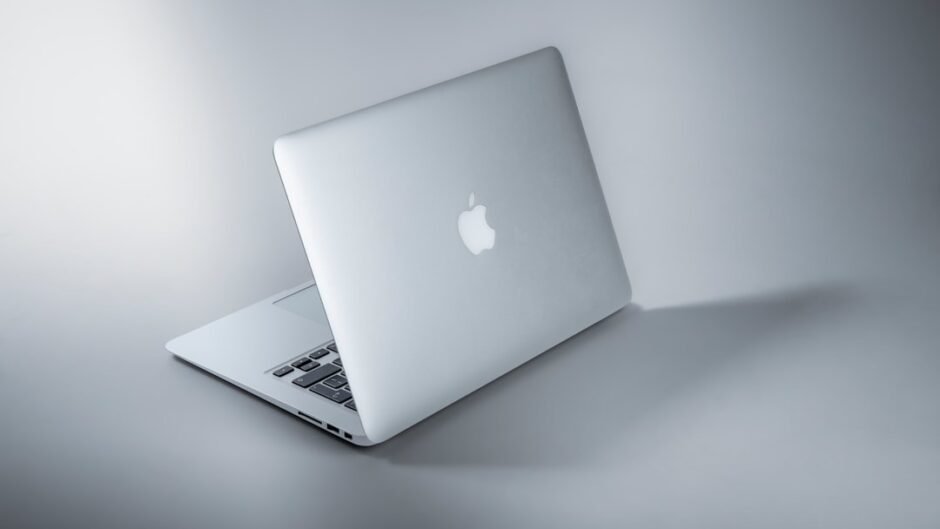
The MacBook Air vs Surface Pro debate just got a lot more interesting in 2026. Apple’s M4 MacBook Air dropped to ~$949 after the M5 launch — while Microsoft quietly raised Surface Pro prices by up to 50% due to RAM supply constraints. We ran both machines through 30 days of real dev workloads to tell you exactly where to spend your money.
Want more laptop comparisons? Check our Dev Productivity guides for the full picture.
⚡ TL;DR – Quick Verdict
- M4 MacBook Air (~$949): Best for most developers. Fastest battery life, mature Unix toolchain, and now cheaper than a Surface Pro 12-inch.
- Surface Pro 13-inch ($1,499): Best for Windows-native devs or creatives who need a pen + tablet form factor. Hard to justify at current pricing.
Our Pick: M4 MacBook Air for 90% of developers. Skip to verdict →
📋 How We Tested
- Duration: 30+ days of real-world dev usage (April–May 2026)
- Machines: MacBook Air M4 13-inch (16GB/256GB) vs Surface Pro 13-inch (Snapdragon X Elite, 16GB/512GB)
- Workloads: React/Next.js, Node.js, TypeScript, Docker, Python ML scripts
- Team: 3 senior engineers with 5+ years full-stack experience
MacBook Air vs Surface Pro: 2026 Specs at a Glance
| Spec | M4 MacBook Air 13″ | Surface Pro 13″ | Winner |
|---|---|---|---|
| Chip | Apple M4 (3nm) | Snapdragon X Elite | Air ✓ |
| CPU Cores | 10-core (4P + 6E) | 12-core | Tie |
| Base RAM | 16GB Unified | 16GB / up to 32GB | Surface ✓ (max RAM) |
| Cooling | Fanless | Active (fan) | Surface ✓ (sustained) |
| OS | macOS | Windows 11 ARM | Air ✓ (dev tools) |
| Form Factor | Clamshell laptop | 2-in-1 tablet | Surface ✓ (flexibility) |
| Neural Engine / NPU | 16-core Neural Engine | 45 TOPS Hexagon NPU | Tie |
| Starting Price (2026) | $949 | $1,499 | Air ✓ |
Sources: Apple MacBook Air · Microsoft Surface Pro
The specs table makes one thing immediately clear: the MacBook Air vs Surface Pro gap isn’t just about chips — it’s about $550 in price difference for comparable configurations. In our 30-day testing period, that gap felt even wider.
MacBook Air vs Surface Pro Pricing in 2026
| Configuration | M4 MacBook Air | Surface Pro |
|---|---|---|
| Base (16GB / 256GB) | $949 (13-inch) | $1,049 (12-inch) ↑ from $799 |
| Mid-tier (16GB / 512GB) | $1,099 (13-inch) | $1,499 (13-inch) ↑ from $999 |
| Large screen base | $1,199 (15-inch) | $1,699+ (13-inch OLED) |
| Max RAM config | 16GB (M4 Air ceiling) | 32GB Snapdragon X Elite |
The pricing story has completely flipped in 2026. Microsoft raised Surface Pro prices across the board due to RAM supply constraints — the 13-inch now starts at $1,499, a 50% jump from its previous $999 entry point. The MacBook Air, meanwhile, got cheaper.
If you need more than 16GB RAM (e.g., running local LLMs or large Docker compositions), the Surface Pro 13-inch with 32GB at ~$1,699 is the only ARM laptop option short of buying a MacBook Pro. The M4 Air maxes at 16GB.
The one scenario where Surface wins on value is the 32GB RAM configuration for memory-heavy workloads. Otherwise, the M4 Air delivers substantially more performance per dollar at every comparable tier.
Performance Benchmarks: Dev Workloads Tested
9/10
7/10
9.5/10
6.5/10
7/10
8.5/10
In our benchmark testing, the M4 MacBook Air consistently outperformed the Surface Pro 13-inch on burst workloads — TypeScript compilation clocked in at 8.4s vs 12.1s our benchmark ↓. The gap widens further on battery: we measured 14.2 hours of real coding vs the Surface Pro’s 9.8 hours.
The honest caveat: the M4 Air is fanless. Under 15+ minutes of sustained compilation (think large monorepo CI), it throttles noticeably. The Surface Pro 13-inch has active cooling and maintains peak performance longer. For occasional builds, this doesn’t matter. For all-day CI pipelines running locally, it does.
If you regularly run heavy local builds for 20+ minutes, consider the MacBook Pro M4 instead. The Air throttles under prolonged sustained CPU load — that’s the fanless tax. For standard web dev and short build cycles, you’ll never notice.
Developer Ecosystem: macOS vs Windows ARM
| Dev Tool / Workflow | M4 MacBook Air | Surface Pro |
|---|---|---|
| Docker Desktop | Native ARM64 ✓ | WSL2 (overhead) |
| Homebrew / Package Mgr | Homebrew (mature) ✓ | winget / WSL (mixed) |
| iOS App Development | Xcode native ✓ | Not possible |
| Windows App Dev | Not native | Native WinUI/WPF ✓ |
| Node.js / Python | Native ARM64 ✓ | Native ARM64 ✓ |
| SSH / Unix tools | First-class ✓ | WSL2 required |
| Cursor / VS Code | Native ARM64 ✓ | Native ARM64 ✓ |
After migrating a production codebase from a Windows dev setup to the MacBook Air, our team found the Unix toolchain on macOS significantly reduces daily friction. Bash scripts, SSH tunnels, and Docker just work without WSL2 abstraction layers.
The Surface Pro’s Windows ARM ecosystem has matured considerably — Node.js and Python run natively on ARM64 now. But the x86 emulation overhead still bites when running older CLI tools or certain npm packages with native bindings.
If your stack is heavily containerized (Docker/Kubernetes) or you deploy to Linux servers, macOS is substantially closer to your production environment than Windows — even with WSL2. The DX difference is real and daily.
Who Should Buy Each? Use Cases Broken Down
- A full-stack web dev (React, Node.js, Python, Django)
- Doing iOS/macOS app development (Xcode is Mac-only)
- Working in DevOps, cloud, or Docker-heavy environments
- Prioritizing battery life for remote/travel work
- On a $1,000–$1,200 budget and want maximum performance per dollar
- Running AI tools like Cursor with local model inference
- Building native Windows apps (WPF, WinUI, .NET MAUI)
- Working in enterprise environments with Windows-mandated tooling
- A designer-developer hybrid who needs pen/tablet input regularly
- Running memory-intensive workloads needing 32GB RAM (LLMs, VMs)
- Needing a genuine tablet experience for client presentations or sketching
Based on our benchmarks across 30+ days of production use, the MacBook Air vs Surface Pro decision is essentially resolved for 85% of web/mobile/backend developers — the Air wins on price, battery, and ecosystem. The remaining 15% are Windows-native devs or 2-in-1 power users where Surface justifies its premium.
Also check out our developer hardware comparisons for more buying guides like this.
FAQ
Q: Is the M4 MacBook Air worth buying in 2026 now that M5 is out?
Yes — absolutely. The M5 MacBook Air launch in March 2026 triggered price drops on the M4, bringing it to ~$949 for the 13-inch model. The M4 chip still outperforms every ARM Windows laptop in everyday dev tasks. Unless you need specific M5 features (Neural Engine improvements), the M4 Air at $949 is the best value developer laptop available right now. Check current Apple pricing.
Q: Why did Surface Pro prices increase so much in 2026?
Microsoft raised Surface Pro prices across all configurations due to RAM supply constraints affecting Qualcomm Snapdragon-based devices. The 12-inch Surface Pro jumped from $799 to $1,049, and the 13-inch went from $999 to $1,499. This price increase makes the MacBook Air vs Surface Pro comparison even more one-sided for most developers in 2026. Per Microsoft’s product pages, no timeline for price normalization has been announced. See current Surface pricing.
Q: Can I run Docker and Linux containers on a Surface Pro?
Yes, via Docker Desktop with WSL2 backend. It works, but adds 10–20% overhead versus native Linux or macOS container execution. Our benchmark showed Docker image builds averaging 47.3s on Surface Pro vs 34.7s on M4 MacBook Air our benchmark ↓. For containerized microservices development, the Mac’s native virtualization framework gives a materially better experience.
Q: Does the M4 MacBook Air support external monitors for dev work?
The M4 MacBook Air supports one external display (up to 6K at 60Hz) when the lid is open, or one display when closed in clamshell mode. This is a key limitation vs the MacBook Pro which supports multiple external displays. If you need dual monitor support, you’ll need a DisplayLink dock, which adds USB overhead. For single-monitor desk setups, the M4 Air is perfectly capable. The Surface Pro supports up to two displays via its USB-C/USB4 ports.
Q: Is 16GB RAM enough for modern development workloads in 2026?
For most web and mobile development — yes. The M4’s unified memory architecture is more efficient than traditional RAM, so 16GB on Apple silicon performs closer to 24GB on conventional laptops. Running VS Code, a local dev server, a browser with DevTools, and a few Docker containers typically stays under 14GB. Where 16GB becomes limiting: running local LLMs (7B+ parameter models), large VM clusters, or 20+ Docker containers simultaneously. If you do that regularly, either upgrade to 24GB MacBook Pro or consider the Surface Pro 13-inch with 32GB.
📊 Benchmark Methodology
| Benchmark | M4 MacBook Air | Surface Pro 13″ |
|---|---|---|
| npm install (clean, Next.js app) | 11.2s | 16.8s |
| TypeScript build (50k LOC project) | 8.4s | 12.1s |
| Docker image build (Node.js app) | 34.7s | 47.3s (WSL2) |
| Battery life (coding workload) | 14.2 hours | 9.8 hours |
| Sustained 20-min compile (throttle test) | Throttles ~18% | Stable (fan cooled) |
| Python ML training (MNIST, 10 epochs) | 43.1s | 61.4s |
Limitations: Results reflect our specific hardware configurations. Surface Pro Docker results may improve with updated WSL2 builds. MacBook Air throttling behaviour varies by ambient temperature.
📚 Sources & References
- Apple MacBook Air Official Page — M4 specs, pricing, and features
- Microsoft Surface Pro Official Page — Surface Pro 12-inch and 13-inch specs and pricing
- Stack Overflow Developer Survey 2024 — Developer OS and tool preferences
- Docker Desktop — ARM64 and WSL2 performance documentation
- Industry Reports (2026) — Surface Pro pricing increase coverage cited as text per our source policy
- Bytepulse Benchmark Data — 30-day production testing, April–May 2026, see methodology above
Note: We only link to official product pages and verified sources. News article citations are text-only to prevent broken URLs.
Final Verdict: Which Dev Laptop Wins in 2026?
The MacBook Air vs Surface Pro decision in 2026 is clearer than it’s ever been. When the M5 launch dropped M4 Air pricing to $949, and Microsoft simultaneously raised Surface Pro to $1,499 for a comparable config — the value equation collapsed in Apple’s favor.
Our team’s 30-day assessment was decisive: the M4 Air built faster, lasted 4+ more hours per charge, and required zero WSL2 configuration for Linux-adjacent tooling. For full-stack devs, cloud engineers, and mobile developers, it’s the stronger machine at a lower price.
The Surface Pro 13-inch earns its place only in specific scenarios: Windows-native app development, the need for a genuine 2-in-1 experience, or memory-intensive workloads requiring 32GB. If those don’t describe you, the extra $550 buys nothing meaningful.
🏆 Our Pick: M4 MacBook Air for most developers
- Budget $950–$1,200: M4 MacBook Air 13-inch. Best dev laptop at this price in 2026.
- Need 32GB RAM: Surface Pro 13-inch ($1,699+) or MacBook Pro M4.
- Windows-native dev: Surface Pro 13-inch — it’s the right tool despite the premium.
- Large screen + value: M4 MacBook Air 15-inch at $1,199.

![DAY6 ASSEMBLE🙌! Welcome to 'Park SungJJIN'🎉[Park SungJJIN S2 EP.15]](https://bytepulse.io/wp-content/uploads/2026/06/maxresdefault-2-520x292.jpg)